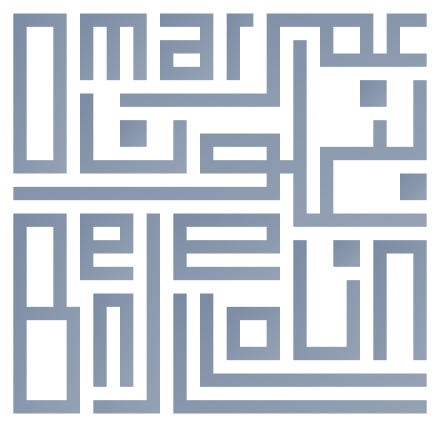
Homepage logo: The making of
This first post explains the process I used to create the animated logo on the homepage. I got the inspiration from Kufi calligraphy, a geometric style of Arabic calligraphy that I've always loved.
I have zero calligraphy skills, but I figured I could get away with it by using a grid of pixels to form the geometric letters. The Arabic part came naturally. I imitated its style for the Latin part, and made the two names fit in a 32x32 grid, imbricating the two scripts into each other. I created the first version as a favicon:

I was quite happy with the result... but didn't know what to do with it for a few months, other than using it as a favicon for my empty website.
After I got into vibe coding, I thought it would be fun to use this as a front door to my website.
1. Making the logo bigger
The first step was to make the logo bigger. My initial idea was to simply ask Gemini to create an SVG version of the logo, so that it could scale smoothly to a larger size. The first output I got was... interesting:
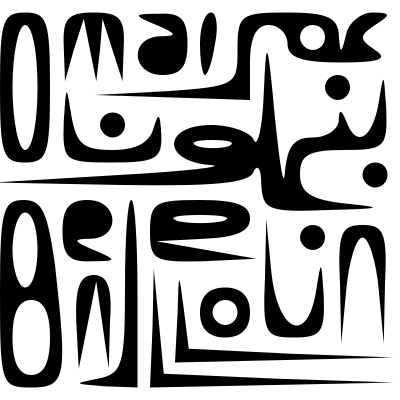
This wasn't the effect I was looking for. I made my prompt more specific about preserving the geometric style, and after a bit of iteration I got the desired result:
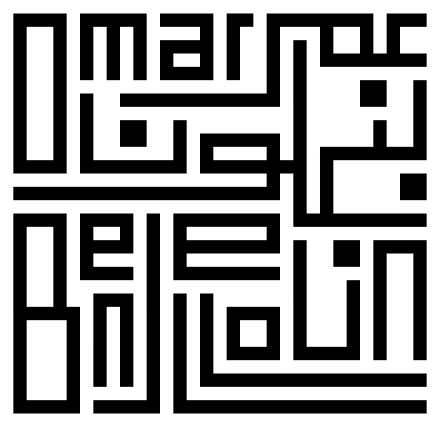
At this point, I almost declared victory. The logo was big enough, and looked good.
2. Animating the logo
The logo was still just a static image. I also thought SVG was overkill, since the logo was basically a grid of pixels. So why not implement that directly in the browser using HTML Canvas? This would also allow me to animate the drawing of the logo pixel by pixel.
I represented the grid of pixels as a 2D array of booleans, and asked Gemini to create the JS code for rendering them. I tried a first simple animation that just draws the pixels randomly:
Identifying letters
At this point, I thought it would be nice to draw the logo letter by letter. I figured this would be interesting since Arabic and Latin scripts are written in different directions.
I was curious to see if Gemini would be able to segment the logo into the correct letters. This was not a simple OCR task, since I made up the shapes of the letters. On the other hand, the target words are already known, which should make it easier.
Gemini attempted to identify the Latin letters first. It went reasonably well, but the results were incomplete, requiring manual correction for missing pixels.
Gemini turned the page into a tool that let me click wrong pixels and collect their coordinates through the browser's developer console, which was an effective way to correct mistakes.
The automated identification of the Arabic script was much worse. Gemini repeatedly suggested coordinates that weren't even part of the drawn logo. I ended up manually tracing every letter by hand.
Tracing letters
Showing letters one by one was fun, but I wanted to convey the process of writing even more precisely. I decided to animate the tracing of each letter as if someone was actually writing it.
I didn't have much faith in Gemini's ability to carry out this task, so I decided to define the letter trajectories manually. I gave Gemini the endpoints of each segment that constitutes a letter, and asked it to fill in the intermediate points. I asked it to use a red "cursor" so that I could check the result.
3. Adding a touch of color
I was quite happy with the animation, but unsure about the high contrast black and white scheme. I also wanted the tracing effect to persist after the animation ended.
I got inspired by a visualization I saw in a paper about temporal data visualizations:
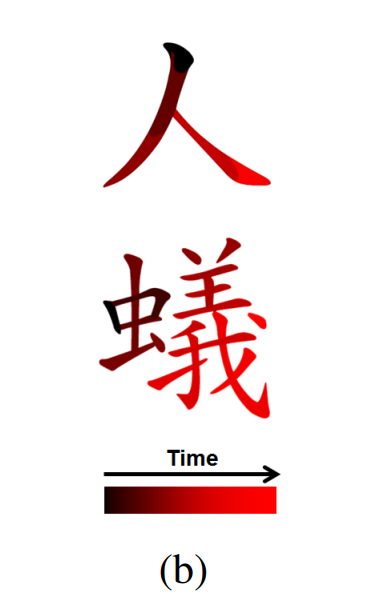
I decided to use a similar approach, but I wasn't a huge fan of the black and red scheme. That's when I remembered a Japanese fountain pen ink color that I was particularly fond of: Fuyu-syogun by Pilot ("Old Man Winter"). Fountain pen ink gets lighter as you use it, so I could use that as my color transition.
I asked Gemini to code that for me, and to take into account the fact that some areas are written over twice. Finally, I thought it would be fun to have it write the Latin and Arabic parts simultaneously, and synchronize the timings so that they end roughly at the same time. This was the final result: